Google Ads vs Facebook Ads: Which One is Better?

Google Ads vs Facebook Ads: Which One is Better?

Digital advertising has become one of the most effective ways for businesses to reach customers online. Among the most popular advertising platforms are Google Ads and Facebook Ads. Both platforms offer powerful marketing opportunities, but they work differently and provide different results depending on your business goals. Choosing the right platform can help you generate more leads, sales, and brand awareness while maximizing your advertising budget.

What is Google Ads?

Google Ads is a pay-per-click (PPC) advertising platform where businesses show ads on Google search results, YouTube, and partner websites. These ads usually appear when users search for specific keywords related to products or services.

For example, if someone searches for “best digital marketing agency,” businesses running Google Ads for that keyword may appear at the top of search results.

Google Ads is mainly intent-based marketing because users are actively searching for something they already need.

What is Facebook Ads?

Facebook Ads allows businesses to display ads across Facebook, Instagram, Messenger, and Meta’s partner platforms. Unlike Google Ads, Facebook focuses on interest-based marketing.

Facebook Ads target users based on:

  • Interests
  • Age
  • Location
  • Behavior
  • Hobbies
  • Online activity

This platform is excellent for visually engaging content and brand awareness campaigns.

Advantages of Google Ads

1. High Purchase Intent

People searching on Google are often ready to buy or take action. This means Google Ads can generate high-quality leads and faster conversions.

2. Faster Results

Google Ads can place your business at the top of search results instantly, helping you attract customers quickly.

3. Excellent for Local Businesses

Google Ads works very well for local searches like:

  • “SEO agency near me”
  • “best restaurant nearby”
  • “web development services”

4. Better for Service-Based Businesses

Businesses offering professional services such as digital marketing, web development, plumbing, or legal services often perform well on Google Ads.

Advantages of Facebook Ads

1. Advanced Audience Targeting

Facebook Ads allows businesses to target users based on detailed interests and behaviors. This helps brands reach highly specific audiences.

2. Cost-Effective Branding

Facebook Ads are often cheaper for increasing brand awareness, engagement, and social media followers.

3. Strong Visual Advertising

Facebook and Instagram are ideal platforms for image and video marketing. Attractive visuals can grab attention quickly.

4. Great for E-commerce

Online stores can use Facebook Ads to showcase products, run retargeting campaigns, and drive online sales.

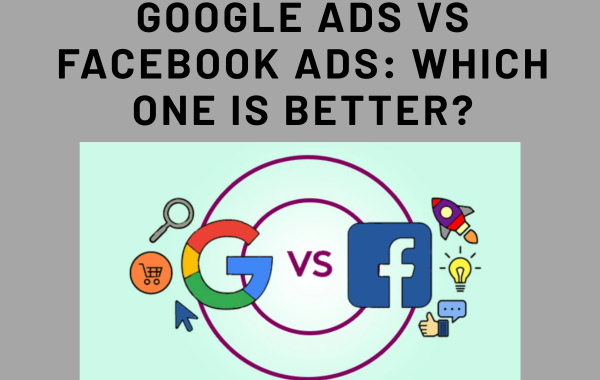
Google Ads vs Facebook Ads: Key Differences

Feature Google Ads Facebook Ads
Marketing Type Search Intent-Based Interest-Based
Best For Leads & Sales Brand Awareness
Audience Users searching actively Users browsing socially
Ad Format Search, Display, Video Image, Video, Carousel
Conversion Speed Faster Moderate
Cost Usually higher CPC Often lower CPC
Ideal Businesses Service-based E-commerce & Brands

Which Platform is Better?

The answer depends on your business goals.

Choose Google Ads if:

  • You want quick leads or sales
  • Customers are actively searching for your services
  • You run a local or service-based business
  • You want high-intent traffic

Choose Facebook Ads if:

  • You want to build brand awareness
  • You sell visually appealing products
  • You want detailed audience targeting
  • You run an e-commerce business

Best Strategy: Use Both Together

Many successful businesses combine Google Ads and Facebook Ads for better results.

For example:

  • Google Ads can capture users actively searching for services.
  • Facebook Ads can build brand awareness and retarget website visitors.

Using both platforms together creates a stronger digital marketing strategy and increases conversion opportunities.

Conclusion

Google Ads and Facebook Ads are both powerful advertising platforms, but they serve different purposes. Google Ads is best for targeting people with strong buying intent, while Facebook Ads excels at audience targeting and brand engagement.

The best platform depends on your business type, goals, and budget. Businesses that understand the strengths of both platforms can create more effective advertising campaigns and achieve long-term digital marketing success.
Top Google Ads Mistakes That Waste Your Budget

How to Run Profitable PPC Campaigns

Pay-Per-Click (PPC) advertising is one of the fastest ways to drive targeted traffic, generate leads, and increase sales. Platforms like Google Ads and Facebook Ads allow businesses to reach the right audience at the right time.

However, running ads alone is not enough—you need a profitable PPC strategy to ensure you get maximum return on your investment (ROI).

📌 What is PPC Advertising?

PPC (Pay-Per-Click) is a digital advertising model where you pay only when someone clicks on your ad. It allows you to place your business in front of potential customers who are actively searching for your products or services.

🚀 Steps to Run Profitable PPC Campaigns

1. Set Clear Goals

Before starting, define your objective:

  • Lead generation
  • Sales
  • Website traffic

👉 Clear goals help you measure success and optimize campaigns effectively.

2. Target the Right Audience

Audience targeting is key to profitability.

  • Choose specific locations
  • Target relevant age groups and interests
  • Focus on your ideal customer

👉 The more precise your targeting, the better your results.

3. Do Smart Keyword Research

Keywords decide when your ads appear.

  • Use high-intent keywords (e.g., “buy”, “services”, “near me”)
  • Avoid very broad keywords
  • Use long-tail keywords for better conversions

4. Write High-Converting Ad Copy

Your ad should grab attention and drive action.

  • Use strong headlines
  • Highlight benefits (not just features)
  • Add a clear Call-To-Action (CTA)

Example:
👉 “Get Free Consultation Today”
👉 “Book Your Service Now”

5. Optimize Your Landing Page

A good landing page is essential for conversions.

  • Fast loading speed
  • Mobile-friendly design
  • Clear headline and offer
  • Simple contact form or CTA

👉 Even great ads fail if the landing page is weak.

6. Set the Right Budget & Bidding

  • Start with a small daily budget
  • Use automated bidding like Maximize Conversions (after data)
  • Monitor cost per click (CPC)

👉 Avoid spending too much without testing.

7. Use Negative Keywords

Negative keywords prevent wasted clicks.
Example:

  • Free
  • Jobs
  • Course

👉 This improves your ROI significantly.

8. Track Conversions

Always track your results.

  • Use Google Analytics or tracking tools
  • Track leads, calls, or purchases

👉 Without tracking, you can’t improve performance.

9. Test and Optimize (A/B Testing)

  • Test multiple ad copies
  • Experiment with keywords
  • Improve landing pages

👉 Continuous testing leads to better results.

10. Use Retargeting Ads

Most users don’t convert on the first visit.

  • Show ads to previous visitors
  • Remind them about your offer

👉 Retargeting increases conversion chances.

💡 Pro Tips for Higher ROI

  • Focus on Quality Score to reduce costs
  • Use ad extensions for better visibility
  • Run ads during peak hours
  • Analyze competitors
  • Scale only winning campaigns

❌ Common Mistakes to Avoid

  • Targeting the wrong audience
  • Ignoring keyword research
  • Sending traffic to homepage
  • Not tracking conversions
  • Stopping campaigns too early

Google Ads Beginner Guide: Step-by-Step Setup

📌 What is Google Ads?

Google Ads is a pay-per-click (PPC) advertising platform where you pay only when someone clicks on your ad. Your ads can appear on Google search results, YouTube, and other partner websites.

🚀 Step-by-Step Google Ads Setup

1. Create Your Google Ads Account

  • Visit the Google Ads website
  • Sign in with your Google account
  • Click on “Start Now”
  • Switch to Expert Mode for better control

2. Choose Your Campaign Goal

Select what you want to achieve:

  • Website traffic
  • Leads
  • Sales

👉 For beginners, Leads or Website Traffic is a good option.

3. Select Campaign Type

Choose the type of ads you want to run:

  • Search Ads (best for beginners)
  • Display Ads
  • Video Ads

👉 Start with Search Ads to target people actively searching.

4. Set Target Location & Audience

  • Choose your target location (city or country)
  • Select language (English/Hindi)
  • Define your audience

👉 Targeting the right audience saves money and improves results.

5. Set Budget & Bidding

  • Decide your daily budget (start small)
  • Choose bidding strategy like Maximize Clicks

👉 You can increase budget after getting results.

6. Do Keyword Research

Keywords are very important for your ads.

  • Use Google Keyword Planner
  • Focus on relevant and high-intent keywords

Example:
✔️ “digital marketing services near me”
❌ “marketing”

7. Create Your Ad Copy

Write an attractive ad to get clicks:

  • Use strong headlines
  • Highlight benefits
  • Add Call-To-Action (CTA)

Example CTA:
👉 “Call Now”
👉 “Get Free Consultation”

8. Set Up Landing Page

Your landing page should match your ad:

  • Fast loading
  • Mobile-friendly
  • Clear message and CTA

👉 A good landing page increases conversions.

9. Add Ad Extensions

Use extensions to improve your ads:

  • Call extension
  • Location extension
  • Sitelink extension

👉 Helps increase visibility and clicks.

10. Launch & Monitor Campaign

  • Review all settings
  • Publish your campaign
  • Track performance regularly

👉 Optimize based on results.

💡 Pro Tips for Beginners

  • Start with a small budget
  • Use targeted keywords
  • Add negative keywords
  • Test different ads
  • Monitor performance daily